

About This Site
AI-powered tool to transform photos into artistic drawings instantly. Picture to Drawing With AI is a revolutionary AI-powered tool that transforms any photo into beautiful artistic drawings. It uses an advanced algorithm to create stunning sketches, pencil drawings, and artistic renditions from your photos. The tool provides instant results, offers multiple art styles, and delivers professional-grade, high-quality output. It is designed to be 100% free and requires no sign-up.
Alternatives
 sketchar.io
AR drawing app for art creation and learning with AR assistant and digital canvas.
Sketchar is an AR drawing app designed for art creation, learning to draw, and collaborating with others. It utilizes augmented reality technology to project virtual images onto real surfaces, making tracing and drawing easier for beginners and professionals alike. The app also features a digital canvas with various tools for creating and editing artwork.
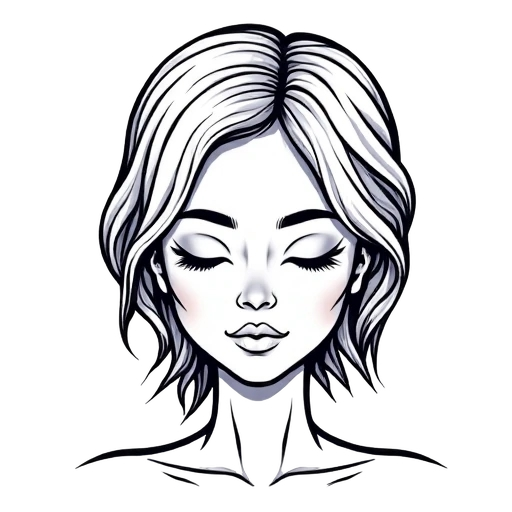 AI Line Art
AI tool generates professional line art drawings from text or photos.
AI Line Art is an online tool that leverages advanced AI to transform text descriptions or uploaded photos into professional, high-quality line art illustrations. It offers multiple artistic styles, fast generation, and supports image uploads, making it easy to create detailed line drawings for various creative projects. The platform aims to provide a powerful, fast, and high-quality AI model for generating line art.
 Muse Pro
AI-powered digital art app for iPad with realtime painting and enhancement.
Muse Pro is an AI-driven digital art application for iPad that allows users to paint in realtime, upscale, and enhance images in seconds. It features intuitive design, advanced layers, custom brushes, and GPT-4 Vision enhancement, enabling users to transform ideas into stunning visuals anywhere.
 Drawings Alive
AI app that transforms kids' drawings into vibrant artworks and animated videos.
Drawings Alive is an AI-powered application that transforms children's drawings into vibrant artworks and animated videos. It allows users to upload drawings, add descriptions, and watch as the AI brings them to life, creating fun and magical experiences for kids and families.
Key Features AI
Core Features
AI-Powered Picture to Drawing conversion
Multiple Drawing Styles (Pencil Sketch, Line Drawing, Charcoal, Watercolor, etc.)
High Resolution Output
Fast Processing
Free to Use
Easy to Use Interface
No Registration Required
Advantages
100% Free for basic use
No Sign Up or Registration Required
AI-powered for stunning artistic results
Instant conversion of pictures to drawings
Offers a wide variety of artistic drawing styles
Delivers high-quality, professional-grade output
Fast processing times, especially with premium models
User-friendly and easy-to-use interface
Commercial usage rights available with paid plans
缺点:Free models may have longer generation times (20-50 seconds)
缺点:Free models may experience occasional stability issues
缺点:Limited to 5 free images per day for non-logged users
picture to drawing Reviews (0)
5.0
0 reviews
Log in to rate this website and write a review
Log in
- No reviews yet. Be the first to write one!
30-Day Click Trend
10-07
10-21
11-05
Related Sites
YoFont is an AI font generator: describe a style, upload a photo of lettering or of your handwriting, and get an installable font in up to 60 languages. It also has a free font finder that identifies fonts from images.
YoFont makes real fonts. Type a short brief like "a warm geometric sans for a coffee brand", or drop in a logo, a poster or a photo of your own handwriting, and in about a minute you get a complete typeface you can install: TTF, OTF, WOFF and WOFF2, in Thin, Regular and Bold.
Free AI image generator for creating stunning visuals from text.
ChatGPT Image Generator is a free AI image generator that allows users to create stunning AI-generated images from text prompts. It offers a user-friendly platform for generating creative and realistic visuals without requiring design skills. The platform utilizes advanced AI technology to transform ideas into high-quality images quickly and easily.

Ultra-fast AI image editor with precise local control and multi-image fusion.
Nano Banana is an AI image editor powered by Gemini 2.5 Flash Image, designed for ultra-fast AI editing with precise local control and multi-image fusion. It delivers effortless, prompt-driven image edits with unmatched character consistency and scene fidelity. Users can transform ideas into stunning images using text-to-image generation or edit existing images. Nano Banana applies prompt-based local edits, preserves character identity and style across different outfits, poses, lighting, and scenes, and maintains scene layout and lighting. It also allows blending multiple images or transferring styles into one coherent result and offers control over details like backgrounds, old photo restoration, color, pose, and lighting with natural-language prompts. The platform can generate multiple options from a single prompt or build cohesive sets of images.

Sketcho.io transforms sketches into AI-generated images for artwork and creative inspiration.
Sketcho.io is a design tool built on Stable Diffusion AI. It transforms your simple sketches into images, perfect for artwork or creative inspiration. It allows users to generate images with AI using their sketches and text prompts. Sketcho offers features like AI-assisted sketching, high-quality image generation, easy export options, and iterative design capabilities.

AI image generator and editor for high-quality transformations.
NanoBanana is a free AI image generator and online image editing tool powered by Google's Gemini 2.5 Flash Image. It enables users to generate high-quality images from text descriptions, perform AI painting, and edit existing images. The platform focuses on transforming images with cutting-edge AI technology, offering features like maintaining character consistency, blending multiple images, and applying precise edits using natural language. It is presented as completely free to use without requiring registration.

AI-powered tool for enhancing lighting effects in images with precise control.
Luminar Brush is a professional illumination drawing tool that transforms visuals with stunning lighting effects and precise control. Developed by Illyasviel, the creator of ControlNet, it's an AI-powered image editing tool designed specifically for enhancing lighting effects in photographs. It utilizes a two-stage processing framework that allows users to transform images with uniform lighting and apply interactive lighting effects based on user inputs. This tool is particularly beneficial for artists, photographers, and anyone involved in visual content creation, providing a seamless way to manipulate lighting conditions in images.


